

Introduction
Ordering one custom shirt online is easy – you don’t need large quantities or design experience.
Ordering a single custom T-shirt in Brisbane is straightforward using DTG (Direct to Garment) printing, ideal for one-offs due to no setup fees unlike screen printing for bulk.
Start by selecting a brand like AS Colour (fitted fit) or Gildan (relaxed), then pick style, color, and size via online tools from local printers such as Custom T Shirt Printing Online – no minimums apply. Upload high-res artwork (PNG/JPG, 300 DPI), preview the design, and choose turnaround: same-day pickup (before 11am) or 1-4 days. Pay online ($30-42 for premium tees), opt for Brisbane pickup to save shipping, and collect your vibrant, durable print.
If you’re looking for T-shirt printing in Brisbane, including same-day printing, event shirts and corporate uniforms, visit our main guide here:
👉 T-Shirt Printing Brisbane – Complete Services & Pricing
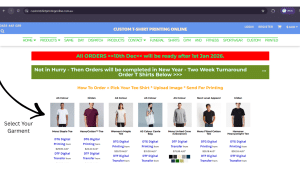
1. Pick Your ShirtTo pick a shirt for custom printing, assess purpose, fit, fabric, and budget. AS Colour offers premium, fitted tees with vibrant prints and stylish colors, ideal for modern branding. Gildan provides affordable, relaxed heavy cotton options for durable bulk use. Select hoodies for cozy layering with fleece that holds DTG/screen prints well on events. Choose polos for professional collared looks, using breathable blends suited to embroidery or DTG logos. Preview on Brisbane printers’ sites like Custom T Shirt Printing Online, matching design colors to garment shades. |
 |
2. Click “Add design” or “Add text”Once you clicked through from the website you will find yourself looking at the Online Designer. Its an easy online designing tool to help you add text or upload images, graphics , logos onto your shirt. You can add different sizes to the same design same color shirt or you can mix colors, designs and sizes all in one order to get your T-shirts custom printed. Here is an article on how to add multiple designs in one order. Click Here for that or Click here for 2 or more shirts in one order! |
 |
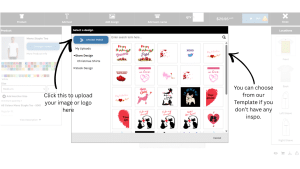
3. Upload Your Photo or LogoOnce you selected your shirt its time to add sizes and quantities to the order. You can do that easily using the menu option to the left of the design pane on the screen. Once you have done that its time to now add your artwork. Make sure you read below how to prepare your artwork before uploading for printing. Click the Add Text or Add design tabs to the top to access your artwork on your computer. Supported file types the online design takes are:
Tips on how to do artwork preparation – click here |
 |
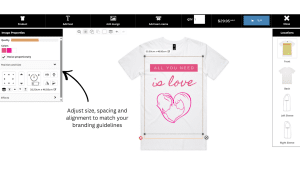
4. Choose Print AreaHere we will now focus on placing the artwork onto the design areas shown on the screen. You will see a up right rectangle frame into which you can upload images into. The best part is you can choose the Front or Back or Both of the shirt to print on. If you select the 2 week turnaround you will see the option to print on sleeves. This option is not available for Same Say T Shirt Printing. Once you uploaded images, sized and positioned these onto the shirt its time to check out and add your personal details for the order. |
 |
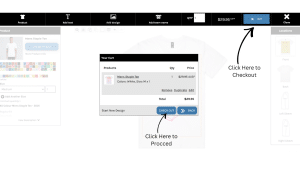
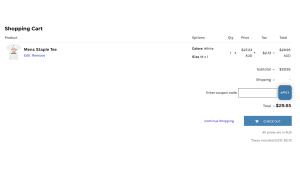
5. Choose Pickup or DeliveryOnce your personal details are in, select the shipping or pickup method you want for the Order. Urgent orders must be via the Same Day Dispatch page and always select Express Shipping. Its starts at $15 and increases on weight of the order. Allow 1 to 3 days for Express. Delays may happen during Christmas- New Year. You can also collect in Brisbane by choosing Pickup. This will be from the print factory address at Gaythorne pickup and helps with speed. PS: In the checkout you will also be asked for your address, email. This is important in case we have to reach you. This information will then populate in your invoice once you process payment. |
 |
6. Pay & DoneOnce you have paid an invoice will be generated by the system and sent to you immediately. The system starts printing right away. Same Day Orders cannot be cancelled for this reason. As soon as the garment is printed and ready to be dispatched or picked up you will get another email. |
 |
Quick Links
How to Order Just One T shirt Online | Price Guide | Apparel Size Guide