

Discover Brisbane’s Image File Format and Resolution Secrets for Quality Printing
In the heart of Brisbane’s vibrant custom apparel scene, more and more creators and businesses are pouring effort into their t-shirt and hoodie designs – only to end up disappointed with lacklustre print results. The real culprit? A lack of clear understanding regarding image file formats and resolution guidelines for quality t shirt printing. With the right knowledge, your artwork can be transformed into sharp, vibrant prints that leave a lasting impression, whether you’re outfitting a sports team, launching a fashion line, or surprising friends with a unique gift.
Every masterpiece starts with careful groundwork, and in the world of garment printing, that foundation is your digital artwork. This article reveals the essential image size formats for both t-shirts and hoodies, dives into why certain file types make or break your print, and offers actionable design tips tailored for Brisbane’s local print shops and creators. If making your apparel designs stand out is a priority, read on for the expertise you need to get ahead
What Are the Best Image File Formats for Quality T-Shirt Printing in Brisbane?Choosing the right file format is one of the most decisive steps to ensuring your printed apparel turns out as crisp and detailed as you envision. But which formats actually deliver the sharp vectors, vivid details, and transparent backgrounds that modern print methods require? Vector files such as AI, EPS, SVG, and PDF are favoured across the Brisbane print community. Their scalability and precision ensure logos and texts stay razor-sharp at any size, making them perfect for t-shirts and hoodies alike. |
|
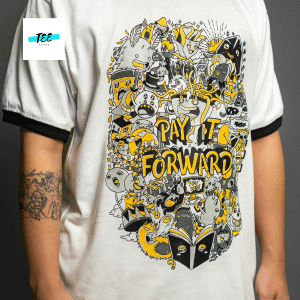
For photographic or highly detailed artwork, high-resolution PNG files with transparent backgrounds strike a great balance between colour and detail, though vector is always preferred for logos and text-heavy designs.
-
Vector files support infinite scalability without pixelation, ideal for resizing across different apparel.
-
Raster formats like PNG and PSD offer excellent vibrancy and transparency for detailed artwork.
-
JPEG, GIF, and TIFF formats should be avoided—they compress images, limit transparency, and reduce print quality.
-
Always verify printing preferences with your chosen Brisbane print provider before sending designs.
-
PDFs that contain vector data are widely accepted and offer a reliable delivery method between client and printer.
What Must Designers Know About File Formats?
-
Vector artwork (AI, EPS, SVG, PDF) is non-negotiable for text and logos—a must for professional results.
-
PNG files should be export-ready at 300 DPI and full-size; low-res files will print blurry.
-
Avoid files exported from Word, PowerPoint, or similar, as they lose details and scalability.
-
RGB files can cause colour mismatches; always convert to CMYK before submitting for print.
-
Arrange a pre-print consultation or proof to ensure compatibility with Brisbane print shop equipment.
Why Does Image Resolution Matter So Much When Printing T-Shirts and Hoodies?
Think you can simply upload your favourite photo and expect dazzling results on fabric? Image resolution determines just how clean, vivid, and detailed your print will look once transferred to a t-shirt or hoodie. Neglecting this factor is the root cause of blurry, pixelated, or faded prints seen far too often in custom apparel orders around Brisbane.
Minimum recommendations for print resolution are universally set at 300 DPI (dots per inch) at the final print size. This standard delivers crisp imagery and accurate colour reproduction, preventing the disappointment that comes with seeing your design turn out muddy on fabric. If your image is lower resolution, especially when scaled up, no amount of tweaking will recover the lost quality.
-
Choose 300 DPI as the absolute baseline for all print files, whether for t-shirts or hoodies.
-
Lower resolution files (e.g., 72 DPI) may look sharp on screens but will blur when printed at large sizes.
-
Each print area (e.g., pocket, chest, full front) has a recommended resolution in pixels; sizing accordingly ensures clear details.
-
Working with a professional designer for upscaling or vector tracing ensures you retain detail for large prints.
-
Many Brisbane print shops provide online mockup tools—upload your artwork to test file quality before committing.
How Can You Guarantee Top Quality from Your Print Files?
-
Build your artwork at actual print size—resizing smaller files up leads to pixelation.
-
Consider the garment colour: light backgrounds show flaws less than dark backgrounds, requiring even higher image quality for deep colours.
-
Always ask for a digital proof or sample print before mass production.
-
Review your files in print preview mode at 100% zoom, examining for jagged edges or fuzziness.
-
If in doubt, Brisbane designers offer artwork preparation services—invest in professional file prep for best results.
What Image Sizes Work Best for T-Shirts vs Hoodies in Brisbane?
Getting image sizing wrong remains one of the most common mistakes, costing both money and reputation. The physical dimensions—and placement—of your print area differ between t-shirts and hoodies. Knowing exactly how large to make your design, in both inches (cm) and pixels, ensures a polished outcome regardless of garment type.
What Are the Standard Print Sizes?
For t-shirts targeted at adults, the typical maximum printable size is 12 x 16 inches (roughly 30 x 40 cm). For hoodies, which often have thicker material and seams to account for, the print area may be slightly shorter in height or width—averaging between 13 x 10 inches (33 x 25 cm) on the front. Designs for chest pockets, sleeves, or smaller youth garments require proportionally scaled-down artwork (e.g. 4 x 4 inches for pocket prints).
-
T-Shirts (Adult): Standard print area is 12 x 16 inches (3600 x 4800 pixels at 300 DPI).
-
Hoodies (Adult): Front print area is often 13 x 10 inches (3900 x 3000 pixels at 300 DPI).
-
Small prints (e.g., pocket area): Usually 4 x 4 inches (1200 x 1200 pixels).
-
Youth/Kids sizes: Reduce maximum print area and adjust pixels accordingly.
-
Always allow 1–2 inches clearance from seams to avoid distortion or incomplete prints.
Is Image Size Different for Hoodies Versus T-Shirts?
-
Hoodies’ front pockets and seams can reduce the printable area compared to t-shirts.
-
Double-check each garment type for its specific printable zone—don’t apply a generic template to all.
-
Printing too large on hoodies can cause distortion around seams and zippers.
-
Each printer may have their own max print specs, especially for bulk orders—always confirm.
-
Brisbane print specialists may adjust your artwork placement for best effect, especially on hoodies with kangaroo pockets or thick seams.
How Can You Avoid the Most Common Image Mistakes in T-Shirt Printing?
No one wants their bold logo or custom artwork appearing washed out or jagged on a finished shirt. Yet, issues like using compressed file formats, ignoring colour modes, and resizing tiny images still plague many first-time print orders in Brisbane. The solution lies in a disciplined file prep process.
What Key Mistakes Do Designers Frequently Make?
|
|
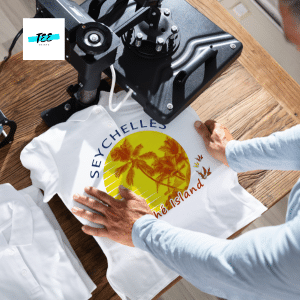
Which Design Elements Enhance Print Clarity?
-
Stick to solid, bold colours and avoid large gradient or photo backgrounds unless using high-res files.
-
Use contrast and outline details to make shapes pop on darker fabrics.
-
Choose simple, easily readable fonts at an adequate size for distance viewing.
-
Flatten artwork layers before exporting to a printable format, reducing file complexity.
-
Request a digital mockup to spot alignment or positioning issues before printing
How Do You Prepare Artwork Files for Brisbane Print Shops?
Successfully navigating print shop requirements in Brisbane is as important as creating beautiful designs. Missteps in file type, naming conventions, or colour mode can derail the whole process, leading to costly delays or unusable prints.
What Steps Make File Preparation Foolproof?
-
Name files clearly with project and order details to avoid confusion.
-
Export all artwork to the final print size and preferred format—no resizing needed by the printer.
-
Always use CMYK colour mode (or as specified by your chosen print shop) to guarantee colour match.
-
Include a proof or visual reference with your file to guide positioning.
-
Backup your original layered artwork—never send only flattened, uneditable images.
How Can Brisbane Creators Streamline the Print Process?
-
Double-check the print size guidelines for each garment—hoodies and t-shirts differ.
-
Send a high-res PDF for approval alongside production files for cross-software compatibility.
-
Keep transparent backgrounds for non-rectangular or multi-colour images.
-
Ask for print shop feedback if uncertain—Brisbane printers are happy to advise.
-
Schedule a final review or test print to uncover any last-minute issues.
What Most People Ask: File Formats for T-Shirt Printing
How do you pick the right file type for screen printing in Brisbane?
For screen printing, vector files like AI, EPS, or PDF are essential—these formats provide clean lines, sharp details, and allow for professional colour separation, making them perfect for logos and multi-colour text designs.
Is PNG acceptable for all t-shirt printing methods?
PNG works well for digital or DTG (direct-to-garment) printing because it can retain transparency and detail. However, for screen prints or embroidery, a vector file or a specific stitch-compatible format is required for best quality.
What Most People Ask: Print Resolution for Quality Garments
Why do file sizes and resolution standards matter for printing hoodies versus t-shirts?
Hoodies usually feature a smaller print area on the front, and thicker fabric may dull fine details if low-resotly-created artwork is used. Proper pixel dimensions (at 300 DPI) ensure both garments produce crisp results that survive repeated wear and washing in Brisbane’s climate.
What happens if a file is less than 300 DPI?
Submitting a lower resolution file almost always results in blurry or pixelated results when printed. Once the image is transferred to fabric, soft edges or noise become immediately noticeable—especially on larger prints or darker clothing.
Five Essential FAQs: All About Image File Format and Resolution Guidelines for Quality T Shirt Printing in Brisbane
1. What file format is best for submitting t-shirt or hoodie designs?
The best format depends on your artwork: vector files (AI, PDF, EPS, SVG) are perfect for text, logos, and sharp graphics, ensuring scalability without quality loss. For detailed photos or intricate colour gradients, high-resolution PNG at 300 DPI is suitable—especially if a transparent background is required for complex layouts.
2. What resolution should I use for print-ready art?
Always create your digital artwork at 300 DPI at your final print size—this could be 3600×4800 pixels for a full adult shirt front, but will be less for pocket prints or youth sizes. Lower resolutions won’t print sharply and may appear blurry once enlarged on fabric.
3. Can I print the same file size on t-shirts and hoodies?
No—hoodies often have unique front seams, pockets, or zippers, which mean the print area is different. Always double-check manufacturer or print shop guidelines. For t-shirts 12×16 inches is standard, while hoodies often use a front print area closer to 13×10 inches to avoid distortion.
4. Why should I avoid formats like JPEG and GIF?
JPEG and GIF compress data, reducing image quality and eliminating transparency support—key for professional results. These formats are for web use, not print. Instead use vector (AI, EPS, PDF) or high-res PNG files for top-notch clarity.
5. Do Brisbane print shops offer help with file setup?
Yes. Many local providers offer artwork assistance, including image resizing and file checks. Use these services if you’re unsure about your design’s suitability—they can adjust your files to meet both t-shirt and hoodie print standards and help you avoid costly mistakes.
Summary: Image File Format and Resolution Guidelines for Quality Printing—What Works Best?
Finding the right balance of image file format, resolution, and size is the secret to impressive, durable t-shirt and hoodie prints in Brisbane. Stick with trusted vector files for logos and text, and high-res PNGs for photos or detailed artwork—always at 300 DPI for the clearest results. Tailor your design size for each garment type, account for placement, and always convert to CMYK to ensure colour accuracy. The knowledge in these image file format and resolution guidelines for quality printing not only prevents pixelated or faded results but guarantees every order meets your—and your customers’—expectations for years to come.